
Your profile
See who you are on CraftbridgeIQ, your internship and your nightly progress.
What this page is for
Your profile shows who you are on CraftbridgeIQ, which internship you are on, who your mentor is, and how you are getting on. It is read-only: you look at it, you do not change it here.
- Where
- Account menu, then Profile (address /profile)
- Who can open it
- Interns
- App
- Intern Portal
How the page works
The same steps as a list
- Open the account menu
- Press Profile
- Loads your details and the latest nightly reading
- Is there a nightly reading yet? (Yes: Progress is shown with its As of date; No: A line says why there is no progress yet)
- Progress is shown with its As of date
- A line says why there is no progress yet
The screen
Open the account menu at the top right and press Profile:
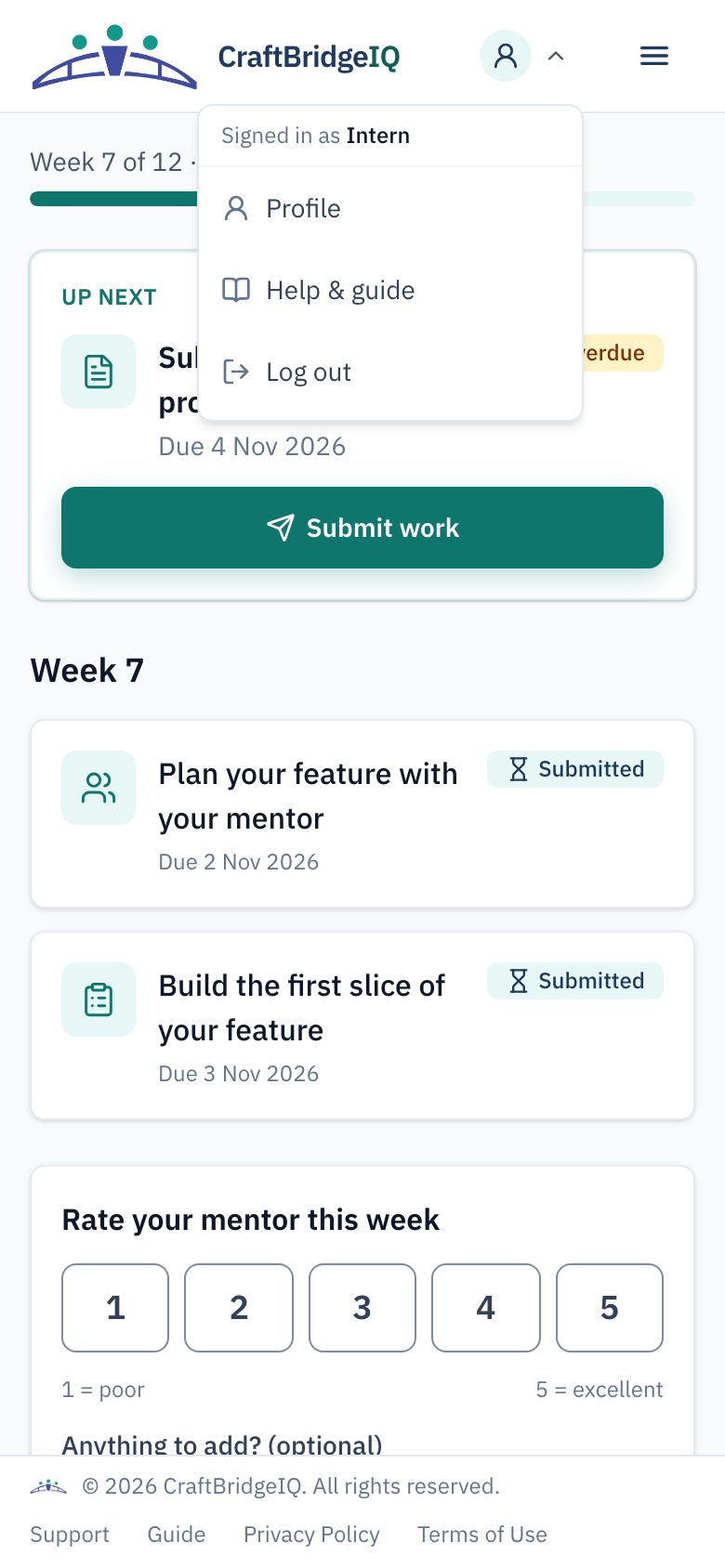
| No. | Control | What it does | What happens next |
|---|---|---|---|
| 1 | Profile | Opens your profile in the same tab. | The Your profile page opens. |
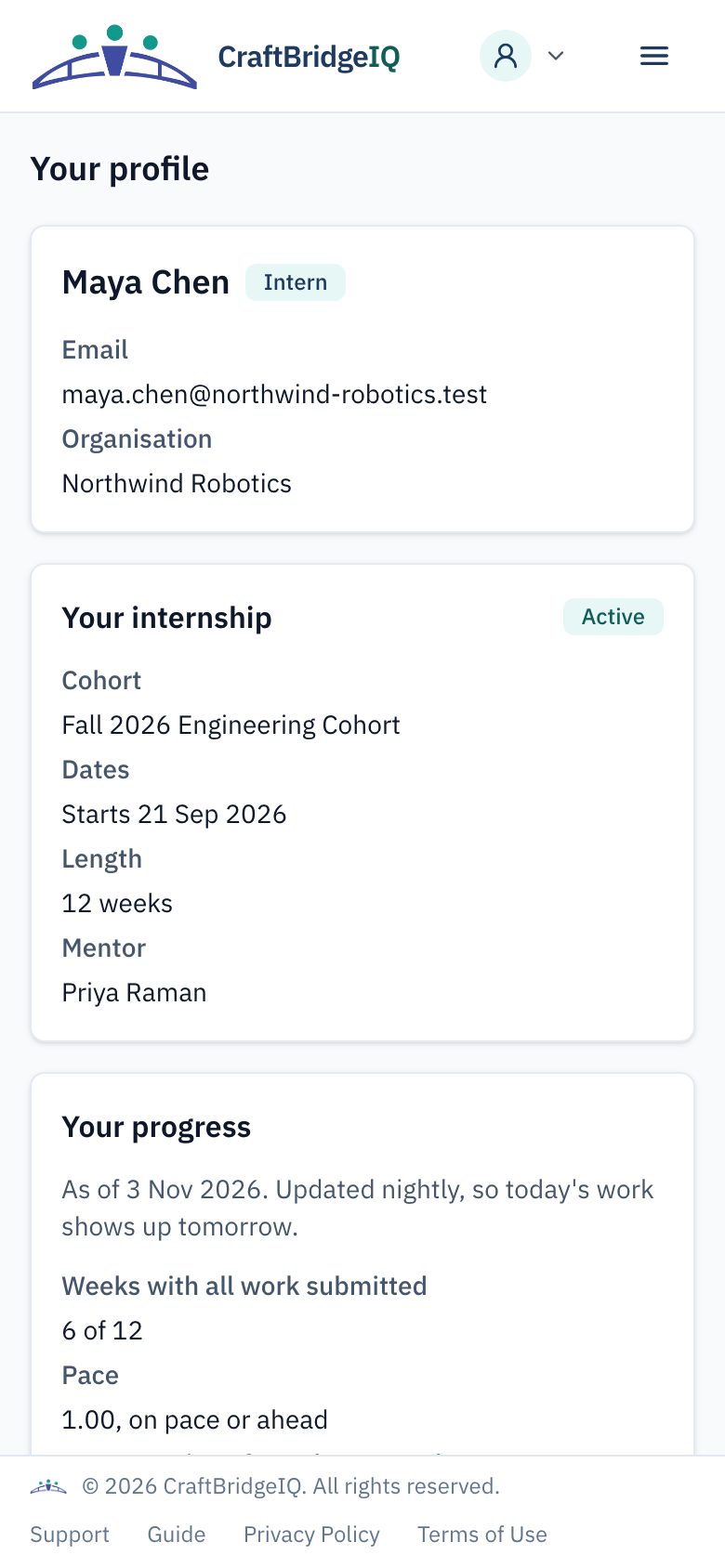
| No. | Control | What it does | What happens next |
|---|---|---|---|
| 1 | Your profile | The page heading. | Nothing; it is a label. |
| 2 | Your identity card: your name and your role, then your email and your organisation. | Nothing; it is read-only. | |
| 3 | Your internship | Your internship card: whether it is Active, Completed or Withdrawn, your cohort, your dates, how long it is, and your mentor. | Nothing; it is read-only. |
| 4 | Mentor | The name of your mentor right now. It says No mentor assigned right now when you have none. | Nothing; it is a label. |
Your progress sits below. Scroll to it:
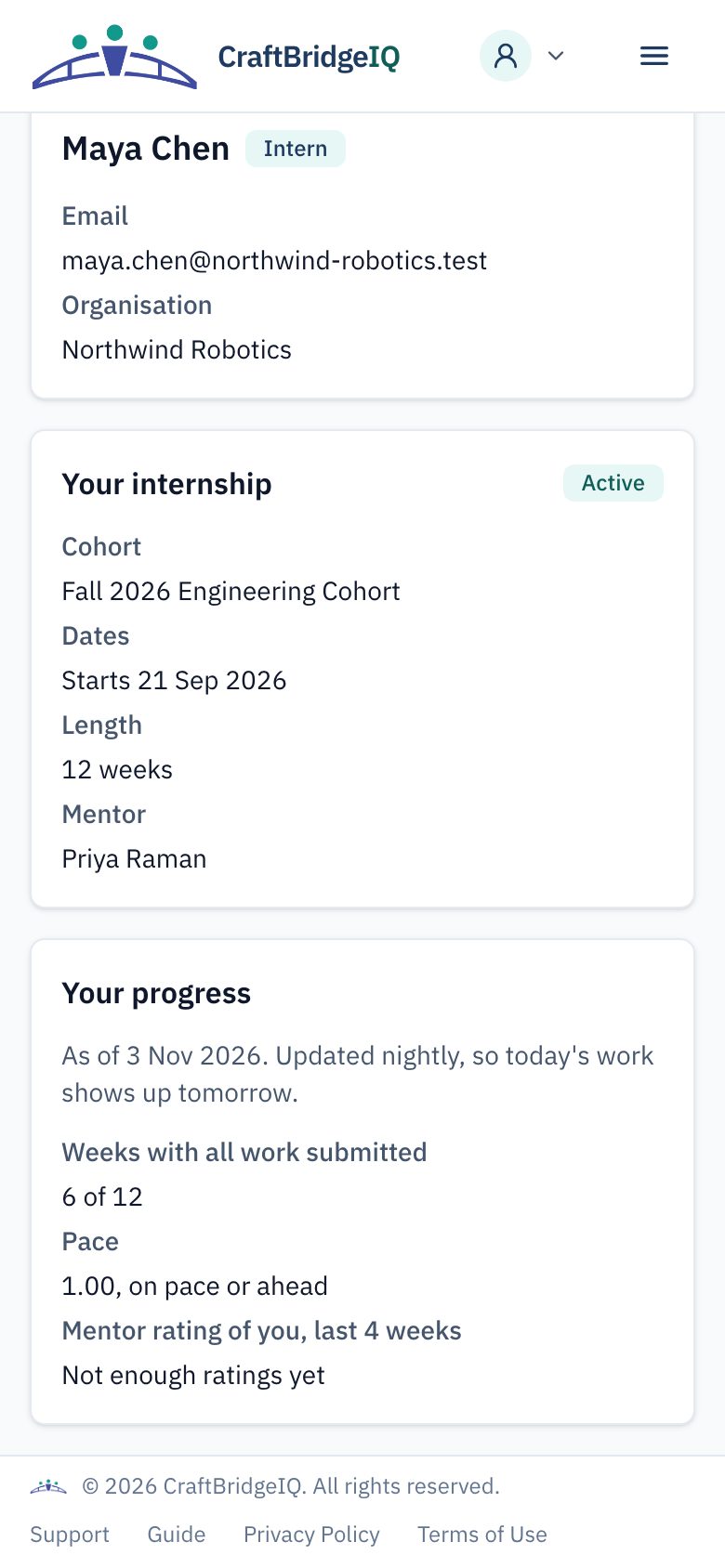
| No. | Control | What it does | What happens next |
|---|---|---|---|
| 1 | Your progress | The card heading. | Nothing; it is a label. |
| 2 | As of 3 Nov 2026. Updated nightly, so today's work shows up tomorrow. | The date of the reading these numbers come from. Progress is worked out once a night, so it can be a day behind. | Nothing; it is a note. |
| 3 | Weeks with all work submitted | How many weeks have no assignment still waiting for you, out of the length of your internship. A submitted assignment counts, even if it is not signed off yet. | Shown as, for example, 6 of 12. |
| 4 | Pace | Weeks finished divided by weeks that have passed. 1.00 is exactly on pace; above is ahead and below is behind. | Shown as, for example, 1.00, on pace or ahead. |
| 5 | Mentor rating of you, last 4 weeks | The average of the ratings your mentor gave you over the last four weeks, with how many there were. It appears once there are at least three. | Until then it says Not enough ratings yet. |
Step by step
Open your profile
- Tap the account menu at the top right.
- Tap Profile.
- Scroll down to Your progress.
Messages you can see
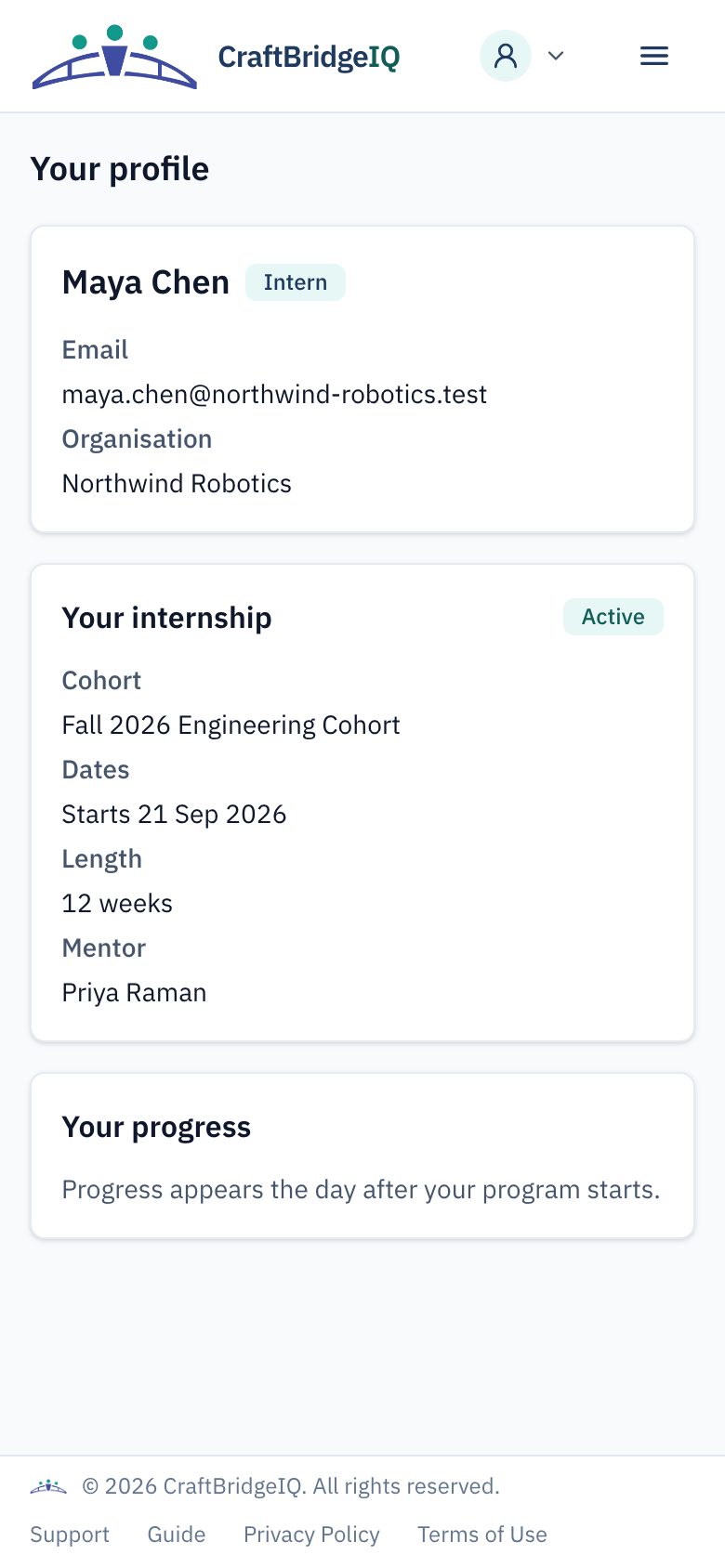
| Message | When you see it | What to do |
|---|---|---|
| Progress appears the day after your program starts. | You are enrolled and active, but the first nightly reading has not been made yet. | Check again tomorrow. |
| Progress is shown only while a program is active. | Your internship is Completed or Withdrawn. | Nothing. Your record of finished work is on Your record. |
| Progress appears once you are enrolled in a program. | You are not enrolled in any program yet. | Ask your administrator. |
| No mentor assigned right now | No mentor is currently set as your primary mentor. | Ask your administrator. |
| Not enough weeks yet | Pace is empty because no week has passed. | Nothing; it fills in later. |
| Not enough ratings yet | Fewer than three ratings from your mentor in the last four weeks. | Nothing. |
| Not available yet | The reading has no week count for you. | Check again tomorrow. |
| Couldn't load your profile. | The page could not reach the server. | Press the retry button shown with it. |
Limits and other roles
- The page only shows your own data. Nobody else’s profile is reachable from it.
- It does not change anything. To fix a wrong name or email, tell your administrator or Support.
Common questions
Why is the date in the past?
Progress is worked out once a night. The As of date is the day of the last reading.
Why does a week count when it is only submitted?
The count is about what is left for you to do. A week counts once none of its assignments is still waiting for you to submit.
Which rating is this?
The rating your mentor gave you. The rating you give your mentor is on your week page.
Last checked 2026-11-03 against the product.