
Signing in
Sign in once, choose an app, and understand the messages when something goes wrong.
What this page is for
Every CraftBridgeIQ app uses one sign-in page. You enter your email and password once, choose the app you want if you have more than one, and you are taken to it.
- Where
- The sign-in site's home page. Any app sends you here when you are signed out.
- Who can open it
- Everyone
- App
- Sign-in
How signing in works
The same steps as a list
- Enter your email and password
- Password right and account open? (Yes: Pick an app if you have several; No: read the message: Enter your email and password)
- Pick an app if you have several
- Staff only: enter a code from your authenticator app
- Your app opens
The screen
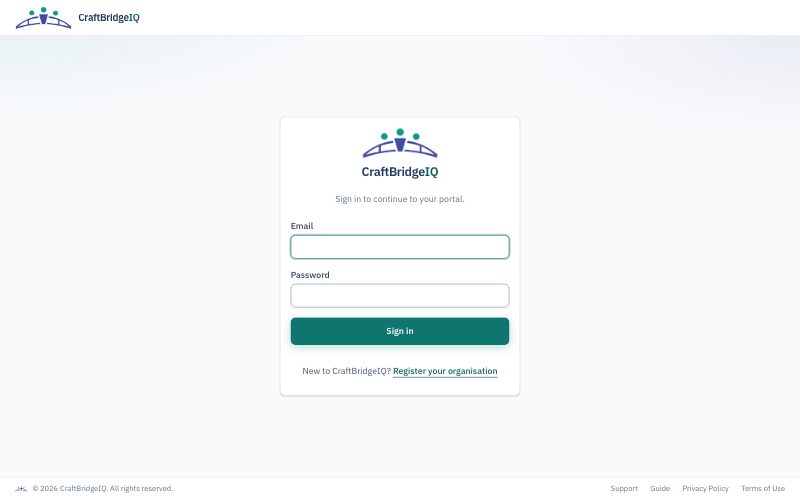
| No. | Control | What it does | What happens next |
|---|---|---|---|
| 1 | Sign in to continue to your portal. | The line under the logo. | Nothing; it is a label. |
| 2 | The email address your administrator added. | Used to find your account. | |
| 3 | Password | Your password, hidden as you type. | Checked when you press Sign in. |
| 4 | Sign in | Checks your email and password. | One app opens straight away. With several, you choose one. The button reads Signing in… while it works. |
| 5 | Register your organisation | Opens the page where a company or university asks to join. | See Registering your organisation. |
| Where would you like to go? | Shown when your login can open more than one app. Each button names the app and the organisation. | The app you press opens. | |
| Use a different account | Throws away the pending sign-in and returns to the form. | You type an email and password again. |
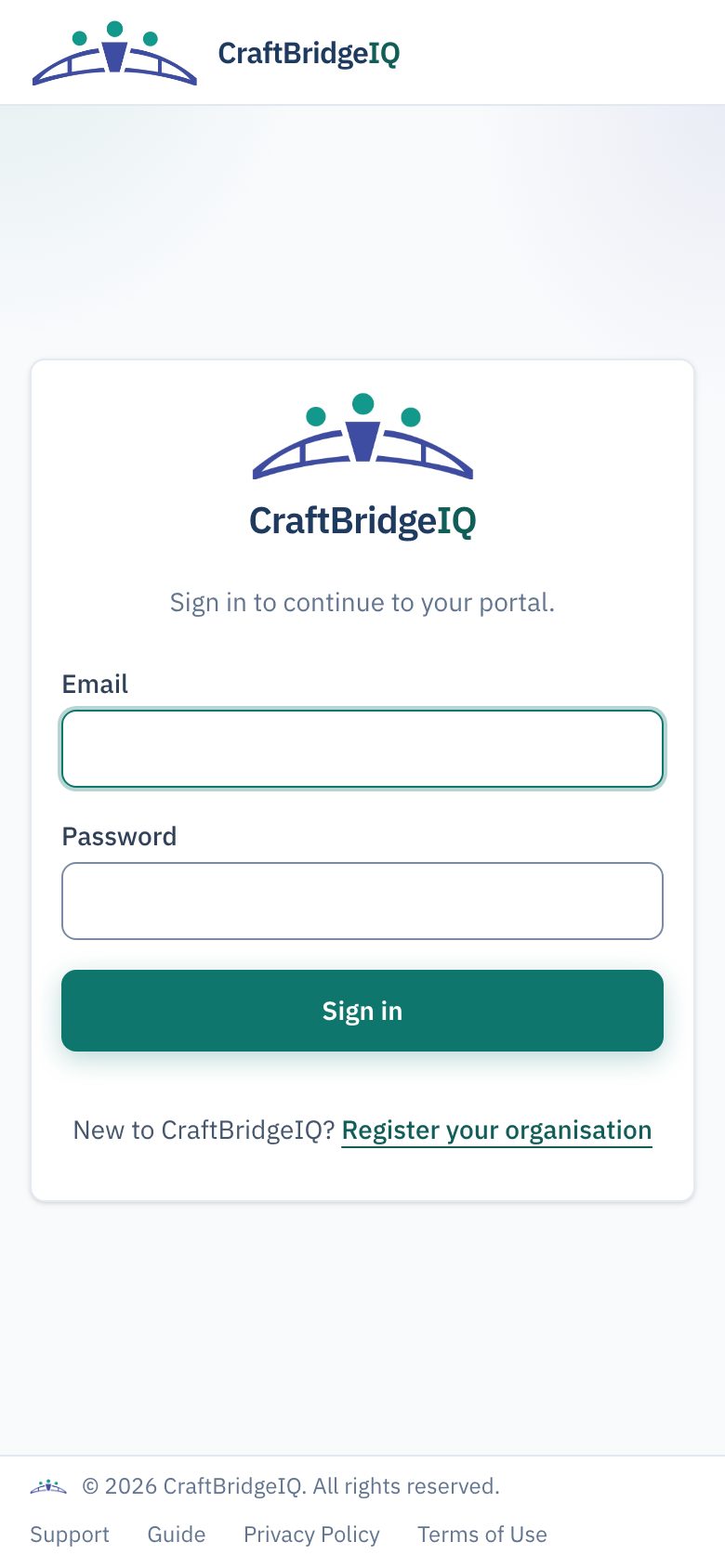
On a phone the form is one column:
Step by step
Sign in
- Type your email in Email and your password in Password.
- Press Sign in.
- If the page asks Where would you like to go?, press the app you want. You have 300 seconds (5 minutes) to choose.
CraftBridge staff: the second step
Staff who open the Admin Console enter a code from an authenticator app after the password. The first time, the page shows a setup key to add to the app, asks for the first code, and then shows recovery codes once.
- Add the setup key to your authenticator app, or open the link on the page.
- Type the 6-digit code the app shows in Code and press Turn on.
- Save the recovery codes, tick the box saying you have saved them, and press Continue.
- Wait until the app shows a new code, then enter it under Enter your verification code and press Continue.
Every later sign-in asks for a current code, or one recovery code. Each code works once.
The form
| Field | Required | Rules | Example |
|---|---|---|---|
| Yes | Up to 320 characters. | morgan.ellis@northwind-robotics.test | |
| Password | Yes | Up to 128 characters. | (your own password) |
| Code | Staff only | The 6-digit code from your authenticator app, or one recovery code. | 123456 |
Messages you can see
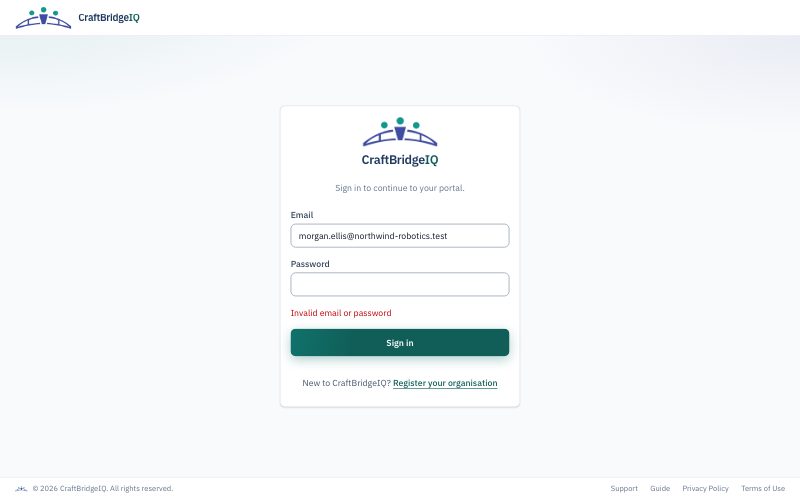
| Message | When you see it | What to do |
|---|---|---|
| Invalid email or password | The email or the password is wrong. The page does not say which. | Check both and try again. |
| Too many failed sign-in attempts. Try again in about 60 minutes. | Five wrong passwords in a row locked this email address. | Wait for the time shown, or ask your administrator. |
| Your account is not set up to use any CraftBridge app yet. | The password is right but you have no role in any organisation. | Ask your administrator to add you. |
| Set up two-step verification to continue. | Staff opening the Admin Console before setting up the second step. | Follow the setup screen. |
| Enter the 6-digit code from your authenticator app. | Staff need a code and sent none. | Type the current code or a recovery code. |
| That code is not right. Try again. | The code is wrong or was already used. | Wait for a new code in the app and enter it. |
| Too many wrong codes. Try again in 15 minutes. | Five wrong codes in a row. | Wait, then try again. |
| Your sign-in expired. Enter your password again. | More than five minutes passed after the password. | Press Use a different account and start again. |
| Opening Program Studio… | You chose an app; it is about to open. | Nothing. Wait a moment. |
| Something went wrong. Please try again. | A request failed in a way the page could not explain. | Try again. |
Limits and other roles
- After 5 wrong passwords in a row, your email address is locked for 60 minutes, even for the right password.
- Staff: after 5 wrong codes in a row the second step is locked for 15 minutes.
Common questions
I forgot my password
There is no forgot-password page. Ask your administrator for a reset link. See Getting help.
It is my first time
Use the link in the email you were sent to choose your password first: Setting your password.
Staff: I lost my phone
Use one of your recovery codes in the Code field. If you have none left, another CraftBridge operator can reset your second step.
Last checked 2026-11-03 against the product.